Triangle Occlusion Culling
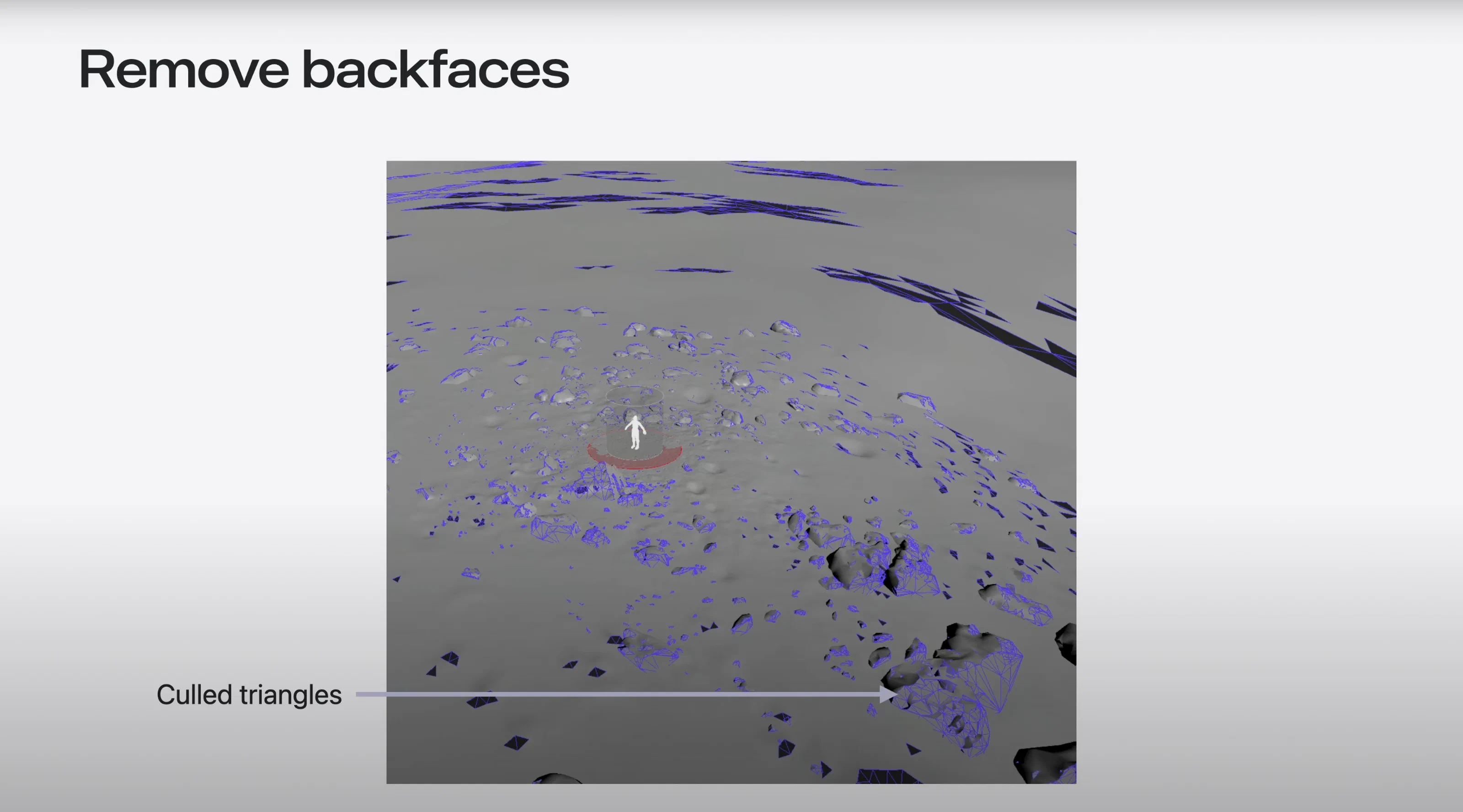
I built the Triangle Occlusion Culling HDA to support the Immersive Environments for visionOS production. It shipped as part of a set of optimization HDAs and was a big part of my WWDC25 session, where I showed how we removed hidden geometry while protecting cinematic detail.
Backface visibility culling
The first pass removes any surface that never faces a viewer sample. We give the HDA a configurable rig of viewpoints and check each triangle’s orientation against every one. Anything that never faces a viewer is culled before the ray-based passes run.
// Sample a viewer position (input 1) and compare it to the primitive normal
vector view_pos = point(1, "P", i@view_index);
vector face_normal = prim_normal(0, @primnum, set(0.5, 0.5, 0.0));
vector to_view = normalize(view_pos - primuv(0, "P", @primnum, set(0.5, 0.5, 0.0)));

float alignment = dot(face_normal, to_view);
if (alignment >= 0.0) {
  setprimgroup(0, "visible_backface", @primnum, 1, "set");
}
Triangles that never satisfy the alignment check are pruned.
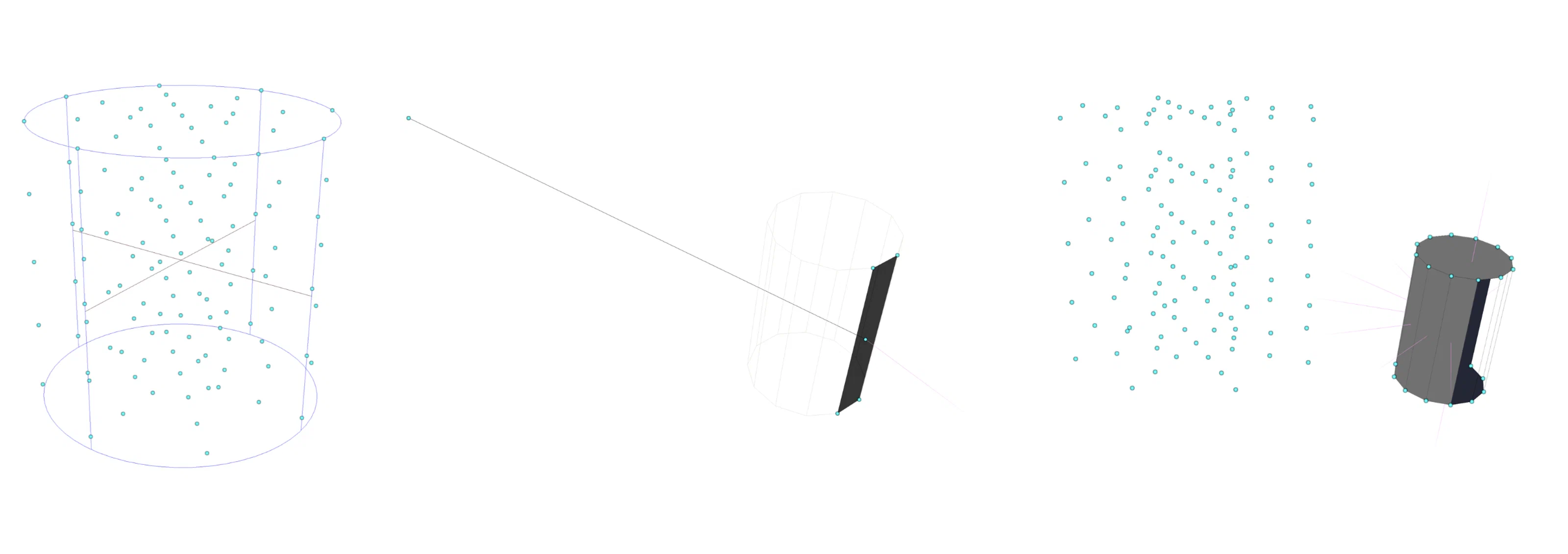
Raycast occlusion culling
With the backfaces gone, the HDA fires dense raycasts from each viewpoint to check whether the remaining surfaces are ever visible. It logs hits into a primitive array, and only surfaces that get at least one unobstructed ray survive.
Traditional occlusion passes raycast from mesh vertices back toward the camera. That misses cases where a “keyhole” occluder hides every vertex of a triangle while part of its interior is still visible. To catch those, the HDA scatters a separate point cloud outward from each sample position. Even if a triangle’s corners are hidden, its surface samples still report it as visible and it stays.
vector view_pos   = point(1, "P", i@view_index);
vector sample_pos = point(2, "P", i@sample_index); // Dense surface samples carry i@sourceprim
vector dir        = normalize(sample_pos - view_pos);

vector hit_pos, hit_n;
int hit_prim = intersect(0, view_pos, dir, hit_pos, hit_n);
int source_prim = point(2, "sourceprim", i@sample_index);

if (hit_prim == source_prim) {
  setprimgroup(0, "visible_ray", hit_prim, 1, "set");
}
Example of sample positions used to check for visibility.
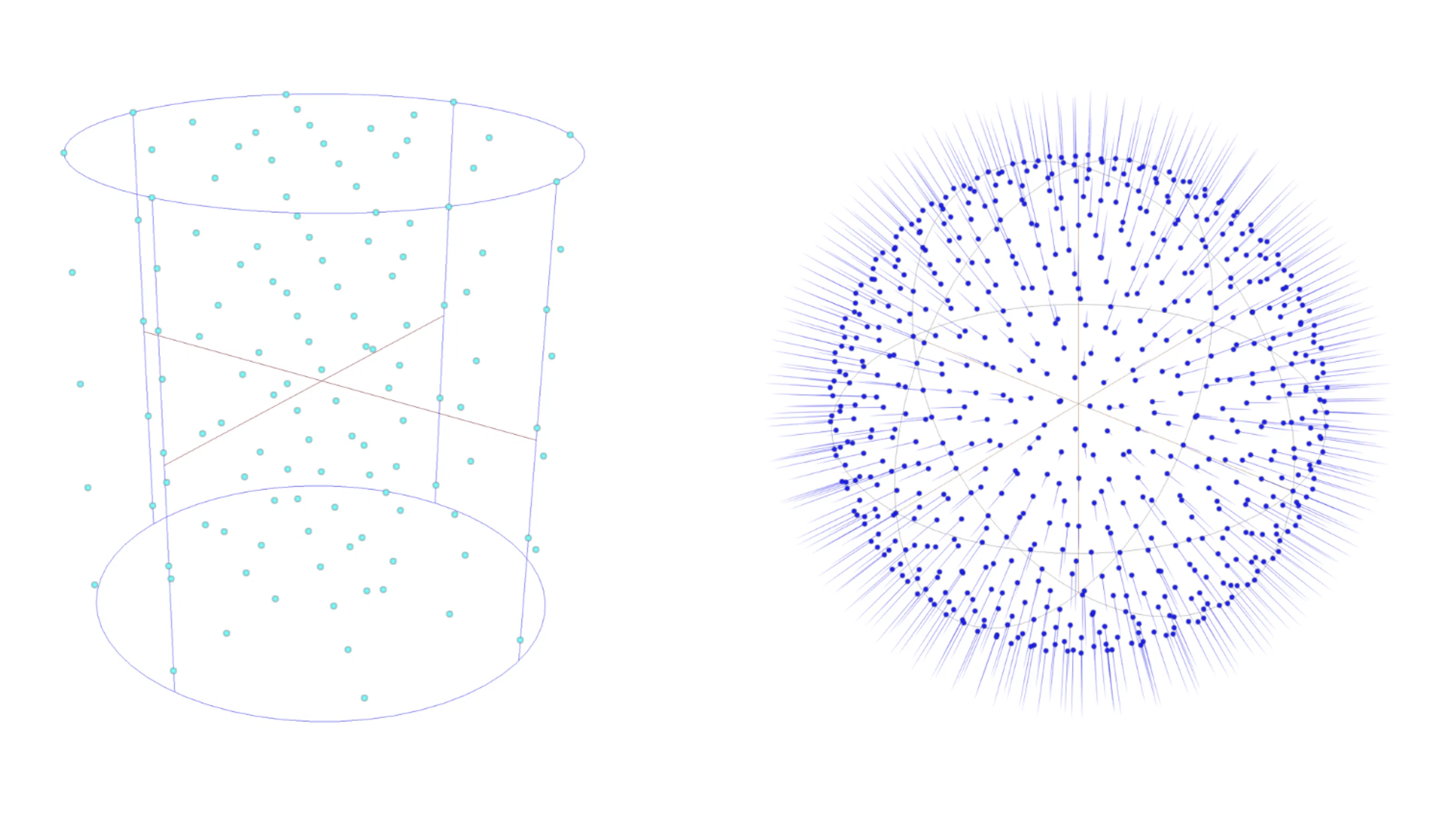
Each sample point fires millions of rays to test visibility:
Results
Together, the two passes cut triangles by 50% on average across the Vision Pro environments, with no visible popping. Cook times stay reasonable even with tens of millions of ray checks. The HDA feeds into the larger Vision Pro LOD bake pipeline, so the UV atlases further down pack tighter and need less texture data.
Download
You can download these occlusion culling HDAs, along with the other tools from the Vision Pro pipeline, and use them in your own Houdini projects.