Geometry Billboards
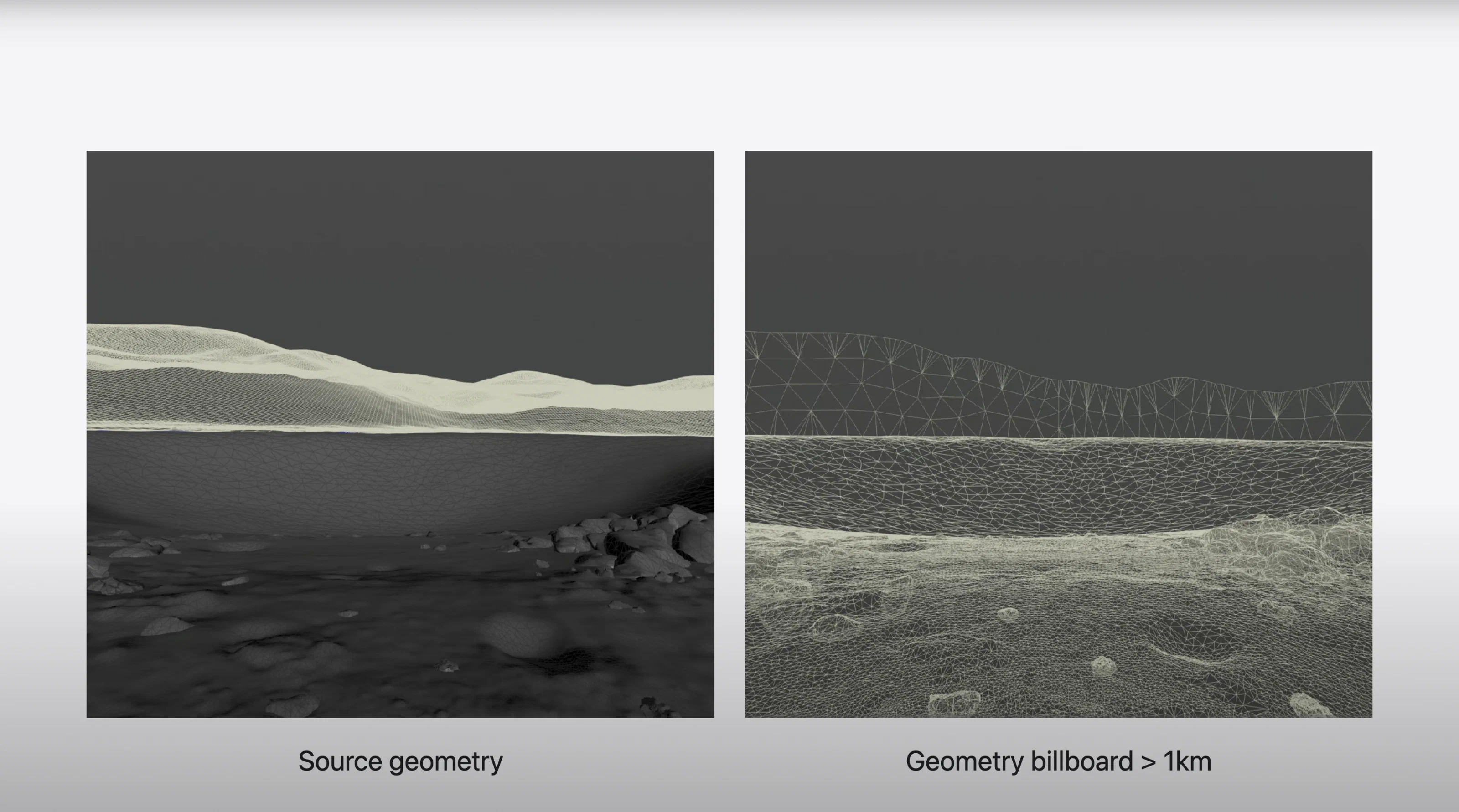
I built a Houdini Digital Asset that turns full 3D geometry into camera-facing billboards. Unlike traditional square cards, the billboards are meshes that follow the object’s silhouette, so they need little or no alpha transparency.
I used it a lot in the Vision Pro environments for foliage at scale, such as entire groves of Joshua trees. The billboards held up at VR distances and stayed within the tight performance budget of a headset.
The tool was a big part of my WWDC25 session on optimizing Vision Pro environments.
What’s wrong with standard billboards
Standard billboards rely on alpha masking, which is expensive to render and sort. Square cards rarely match the outline of the source object, so they waste overdraw. Billboards generated out of context also need complex shaders to shade correctly where they’re placed, and they often still look wrong.
I needed a way to simplify large numbers of meshes while keeping believable silhouettes and some depth cues intact.
Features
Silhouette-accurate billboards
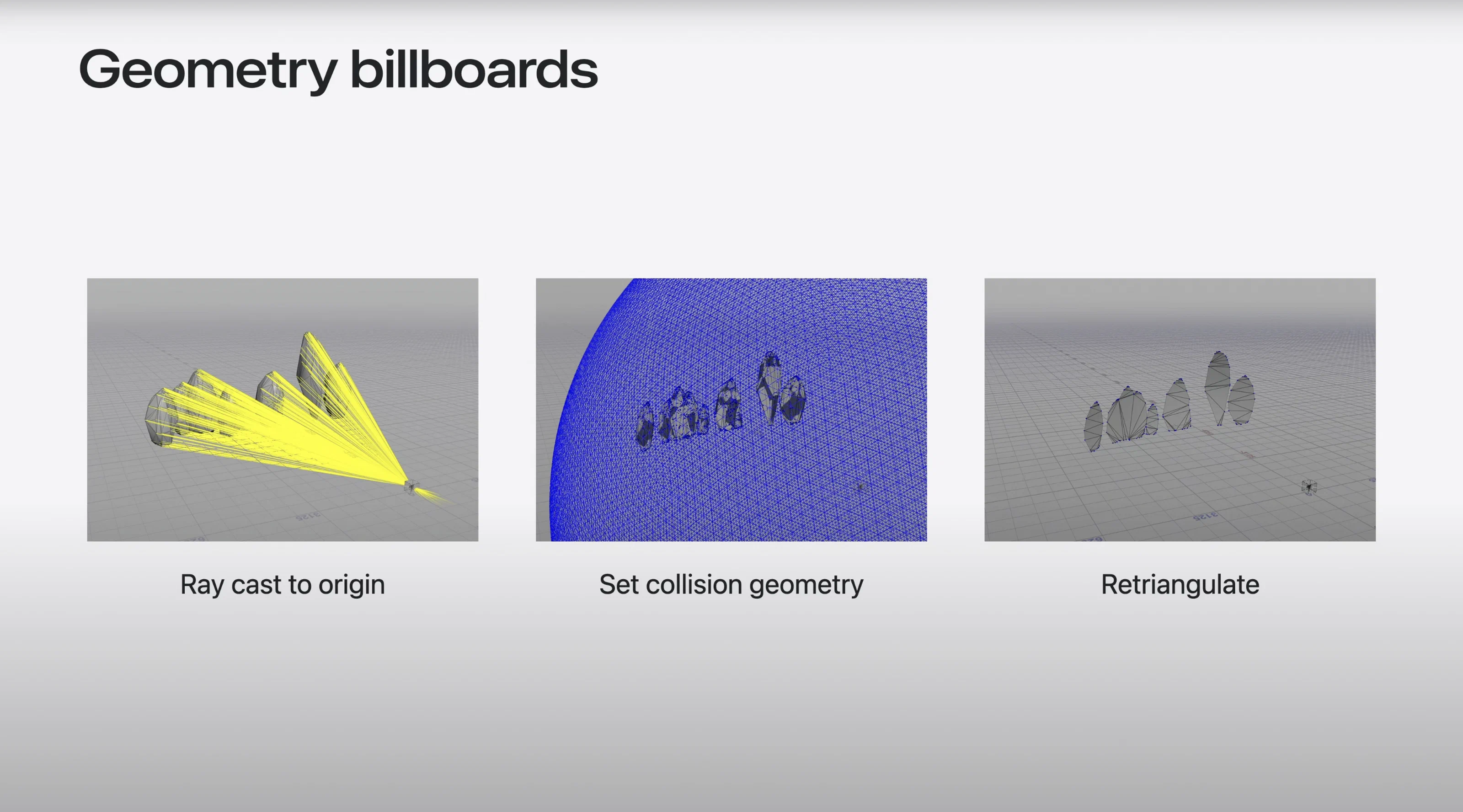
The tool projects every mesh point toward a single origin to cut out a precise silhouette. That gets rid of the boxy look of standard cards and cuts down on alpha.
Convex hull mode
As a lighter option, the tool can build convex hulls instead. They use very little geometry and only need alpha on the detailed edges.
Generated in place
The tool generates each billboard in place, from the object’s actual location and transform. Every billboard gets its own geometry and UVs that match its spot in the scene, so lighting and shading stay correct.
Collision-based projection
A tube or sphere collision proxy sets the projection radius from each object’s centroid. Every mesh point raycasts into the proxy to form a 2D projection mesh, and Houdini’s 2D solver triangulates it cleanly with no overlaps.
Textures
Spherical renders project onto the silhouette meshes. Everything is packed into an atlas scaled by screen-space size, so texture memory goes where it’s visible.
Results
The tool turned hundreds of meshes into silhouette-accurate billboards for the Vision Pro environments. Parallax and the sense of presence held up even with the depth flattened, and cutting transparency brought rendering costs down a lot. I presented the workflow at WWDC25 as part of the Vision Pro optimization pipeline.